
If your team is still printing checklists, chasing signatures, or re-typing handwritten reports into a spreadsheet, you are not alone — and you are also not stuck with it. Across Singapore, businesses in security, cleaning, retail, automotive, and estate management are replacing paper-based processes with digital forms and automated workflows. The shift isn’t just about going green. It’s about getting information from the field to the office faster, with fewer errors, and with a clean audit trail when a client or regulator asks for one.
This guide is the starting point for that shift. It’s written for operations managers, business owners, and compliance leads who want a clear, practical understanding of digital forms and workflow automation — what the terms actually mean, how the technology works, what it costs to switch, and how to evaluate a platform without getting lost in vendor jargon.
Throughout this guide, you’ll find links to deeper articles on specific topics — from the legal status of e-signatures in Singapore to a full buyer’s checklist for choosing software. Think of this page as the map; the linked articles are where you zoom in.
What is digital form automation?
At its simplest, digital form automation replaces a paper form with an electronic one — and then automates what happens after someone fills it in.
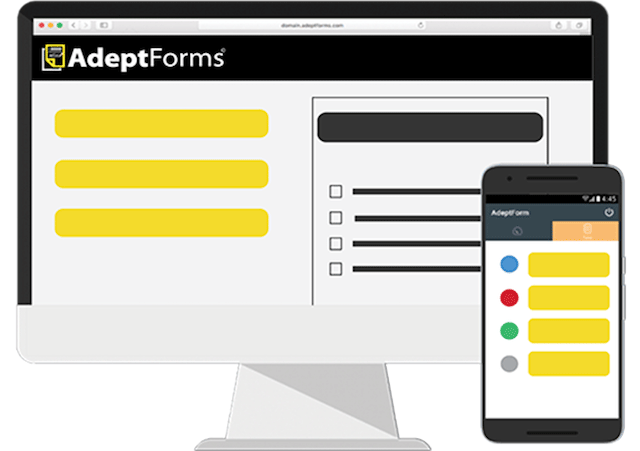
A digital form is the data capture layer. Instead of writing on a printed checklist, a field worker fills in fields on a phone, tablet, or computer. The information is structured from the moment it’s entered: dates are dates, checkboxes are checkboxes, required fields can’t be skipped.
Form automation goes a step further. It’s the software and logic that takes that submitted data and does something with it automatically — routes it to a supervisor for approval, triggers an alert if an inspection fails, generates a PDF report, or updates a dashboard in real time, all without anyone manually typing the information into a second system.
For a full breakdown of how this works in practice, see our guide: What Is Digital Form Automation?
Digital forms vs workflow automation: what’s the difference?
These two terms get used interchangeably, but they describe different layers of the same system — and the distinction matters when you’re choosing software.
Digital forms are about capturing information. A form can be fully digital — built with dropdowns, photo uploads, and GPS tagging — and still require someone to manually read each submission and decide what happens next. That’s a digital form without workflow automation.
Workflow automation is about what happens next. It’s the routing, the approvals, the notifications, the report generation — the parts of the process that happen automatically once a form is submitted.
|
Digital forms only |
Digital forms + workflow automation | |
|---|---|---|
| Data capture | Electronic, structured | Electronic, structured |
| Routing to approver | Manual (someone forwards it) | Automatic |
| Failed inspection follow-up | Someone notices and acts | System flags and alerts instantly |
| Reporting | Manually compiled | Auto-generated |
| Best suited for | Simple, single-person review | Multi-step or multi-site processes |
A small team with one person reviewing every form might not need full workflow automation. A security company running guard tours across a dozen client sites, or a cleaning company managing inspection checklists across multiple properties, almost always does.
Why Singapore businesses are moving away from paper
The cost of paper adds up quietly
Printing, storage, lost forms, and the time spent transcribing handwritten notes into a spreadsheet are easy to overlook individually — but they compound. For a closer look at the real cost difference, see Digital Forms vs Paper Forms: Cost & Efficiency Comparison.
Compliance and audit pressure are increasing
Singapore businesses across security, cleaning, and facilities management are expected to produce clean, time-stamped records when audited — whether that’s for Workplace Safety and Health (WSH) requirements or a client contract. Paper logbooks make this harder than it needs to be. See Workplace Safety and Health (WSH) Reporting Requirements in Singapore and Digital Recordkeeping Requirements for Singapore Businesses for the specifics.
Singapore’s workforce is increasingly deskless
Security guards, cleaners, retail associates, and field technicians don’t sit at a desk — they need to submit reports from wherever they’re working, often without reliable internet access. This is one of the main reasons paper has persisted in these industries for so long, and it’s exactly the gap digital tools with offline capability are built to close.
Government support for digitalisation
Singapore’s push toward business digitalisation includes funding support for SMEs adopting tools like this. See EDG Grant Funding for Digital Transformation: What Singapore SMEs Should Know for what’s currently available.
Core components of a digital forms & workflow system
Most platforms in this space — AdeptForms included — are built from the same core building blocks. Understanding them makes it much easier to compare vendors later.
Form builder & templates. A drag-and-drop interface for creating forms without code, usually with pre-built templates for common use cases like incident reports or inspection checklists.
Conditional logic. Fields that show or hide based on previous answers — for example, a form that only asks for a photo if an inspector marks an item as “failed.”
Mobile & offline data capture. The ability to fill in a form on a phone or tablet, including in locations with no signal, with data syncing automatically once connectivity returns. See Offline Data Collection: Why It Matters for Field Teams in Singapore for more on why this matters operationally.
E-signatures. Legally recognised digital sign-off on forms and reports. In Singapore, this is governed by the Electronic Transactions Act — see E-Signatures in Singapore: Legal Validity & How They Work.
Automated routing & approvals. Submitted forms move to the right person automatically, with no manual forwarding required.
Reporting dashboards. Real-time visibility into submission rates, completion status, and flagged exceptions, instead of compiling reports by hand.
Integrations. Connections to other systems a business already uses — accounting software, HR systems, or client portals.
Common use cases by industry
Digital forms and workflow automation aren’t one-size-fits-all — the way they’re used looks different across industries. A few of the most common applications in Singapore:
Security. Guard tour systems, incident reports, and daily activity logs. See What Is a Guard Tour System? and explore AdeptForms for security guard reporting.
Cleaning. Inspection checklists for completed jobs, supervisor sign-off, and photo evidence of work done. See What Is an Inspection Checklist App? and AdeptForms for cleaning inspections.
Automotive. Vehicle condition reports, service checklists, and rental inspection forms. See AdeptForms for automotive businesses.
Retail. Store audits, stock checks, and customer feedback collection. See AdeptForms for retail.
Environment. Site inspections and compliance checklists for environmental standards. See AdeptForms for environmental compliance.
Estate & real estate. Clubhouse booking forms, facility inspection checklists, and tenant communication logs. See AdeptForms for real estate and estate management.
How to choose a digital forms & workflow platform
The right platform depends on your team size, the complexity of your workflows, and how your staff work in the field — but a few questions apply almost universally:
- Does it work offline, and how does syncing handle conflicts?
- Can non-technical staff build and edit forms themselves, or does every change need a developer?
- How are reports generated, and can they be branded to your company?
- What does implementation and onboarding actually involve?
- Is pricing per-user, per-site, or flat-rate — and does that match how your team is structured?
This is just a starting point. For the full evaluation framework, see How to Choose a Form Automation Software (Buyer’s Checklist).
Calculating the ROI of going paperless
Most businesses underestimate how much paper-based processes actually cost, because the expenses are spread across printing, storage, lost time, and error correction rather than showing up as one line item. A simple way to start is comparing the hours your team currently spends on manual data entry and report compilation against what that time is worth at their hourly rate — then weighing that against the cost of a digital platform.
For a step-by-step approach to this calculation, see ROI of Going Paperless: How to Calculate Time & Cost Savings.
Common challenges when adopting digital workflows
No transition is entirely friction-free, and it’s worth going in with eyes open:
Staff resistance. Long-time staff who are comfortable with paper may need time and training to adjust. Involving them early and choosing an intuitive tool reduces this significantly.
Connectivity gaps in the field. Not every site has reliable signal. This is why offline capability isn’t a nice-to-have — it’s a baseline requirement for most field-based Singapore businesses.
Over-engineering too early. It’s tempting to build a highly complex workflow on day one. Most teams get better results starting simple and adding automation rules as real usage patterns become clear.
Frequently asked questions
Is digital form automation compliant with Singapore’s PDPA?
Digital forms can be built to comply with the Personal Data Protection Act, but compliance depends on how the data is collected, stored, and used — not on the software alone. Organisations remain responsible for obtaining proper consent, limiting data retention, and securing personal data regardless of whether it’s collected on paper or digitally. A good digital forms platform makes these obligations easier to meet, since records are centralised and access can be controlled, but it doesn’t automatically guarantee compliance.
Do I need workflow automation, or are digital forms enough?
It depends on your process. If one person reviews every submission and the volume is low, digital forms alone may be sufficient. If forms need to move through approvals, trigger alerts, or get distributed across multiple sites or teams, workflow automation removes the manual handling that would otherwise slow things down.
Can digital forms be used without internet access?
Yes, on platforms designed for field use. Forms are completed and stored on the device, then synced automatically once a connection is available. This is essential for industries like security
Yes, on platforms designed for field use. Forms are completed and stored on the device, then synced automatically once a connection is available. This is essential for industries like security and facilities management, where staff are often working in basements, car parks, or other areas with poor signal.
Are e-signatures collected through digital forms legally valid in Singapore?
Generally yes, under the Electronic Transactions Act, for the vast majority of business documents. A small number of document types — such as wills and property transfers — still require traditional signatures. See our full guide on e-signature legality in Singapore for the details.
How long does it take to switch from paper to digital forms?
This varies by business size and complexity, but many teams convert their first several paper forms within days, not months, especially when using a platform with pre-built templates. The bigger time investment is usually in staff training and adjusting internal processes, not the technical setup itself.
Explore the guide
This page is the hub for AdeptForms’ digital forms and workflow automation resources. Explore by topic:
Foundations
- What Is Digital Form Automation?
- Digital Forms vs Paper Forms: Cost & Efficiency Comparison
- What Is a Guard Tour System?
- What Is an Inspection Checklist App?
Common challenges
- How to Reduce Missed Deadlines in Report Submission
- Common Mistakes in Manual Data Entry (and How to Avoid Them)
- Why Paper Checklists Fail Audits — and What to Do Instead
- How to Track Field Staff Without Micromanaging
- Offline Data Collection: Why It Matters for Field Teams in Singapore
Choosing a solution
- How to Choose a Form Automation Software (Buyer’s Checklist)
- Form Automation Software Comparison: What to Look for in Singapore
- Building vs Buying: Custom App Development vs Off-the-Shelf Forms Software
- ROI of Going Paperless: How to Calculate Time & Cost Savings
Singapore compliance
- Workplace Safety and Health (WSH) Reporting Requirements in Singapore
- Digital Recordkeeping Requirements for Singapore Businesses
- EDG Grant Funding for Digital Transformation: What Singapore SMEs Should Know
By industry
- Security · Cleaning · Automotive · Retail · Environment · Estate