
If your team still prints checklists, chases down signatures, or re-types handwritten notes into a spreadsheet at the end of the day, you’ve probably heard the term “digital form automation” thrown around as the fix. But what does it actually mean — and how is it different from simply scanning a paper form or filling in a PDF?
This guide breaks it down in plain terms: what digital form automation is, how it works step by step, where it gets used across Singapore businesses, and what to look for if you’re considering it. For the bigger picture of how digital form automation fits into a wider digital workflow strategy, see our complete guide to digital forms and workflow automation.
What is digital form automation?
Digital form automation is the use of software to create, distribute, collect, and process forms electronically — with minimal manual handling at each step. From the moment someone opens the form to the moment the data is acted on.
The “digital” part means you build and fill in the form electronically—on a phone, tablet, or computer—rather than on paper. The “automation” part means what happens after submission — routing, alerts, report generation — also happens without someone manually doing it by hand. Put together, it covers the whole journey of a form, not just the part where someone types instead of writes.
In practice, switching from a paper process to digital changes a few specific things:
- The form lives on a device instead of on paper, so it can’t be physically lost, soaked, or torn.
- Required fields can’t be skipped, and answers can be validated as they’re entered (a date field only accepts a date, for example).
- Once submitted, the data doesn’t need to be manually retyped into another system — it’s already structured and ready to use.
- What happens next — routing to a supervisor, triggering an alert, generating a report — can happen automatically rather than depending on someone remembering to do it.
That last point is what separates true digital form automation from merely “going digital.” A PDF that someone fills in and emails is technically a digital form, but if a person still has to open it, read it, and manually decide what to do next. Most of the manual work hasn’t actually gone away — it’s just moved from paper to email. Digital form automation removes that remaining manual layer too.
How it works
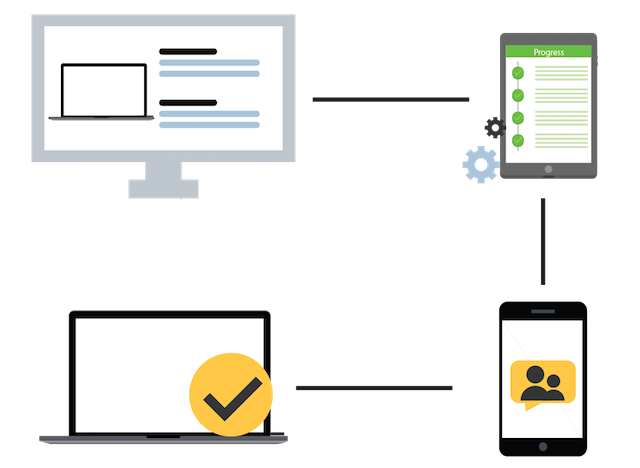
Most digital form automation follows the same basic sequence, regardless of which platform is behind it:
1. Create
A digital form is built using a drag-and-drop builder — no coding required. This typically includes setting which fields are required, adding conditional logic (for example, only showing a “describe the issue” field if an inspection item is marked as failed), and choosing how photos, signatures, or GPS data should be captured.
2. Distribute
The digital form is made available to whoever needs to fill it in — usually through a mobile app or a shared link. Field staff can typically access it without an internet connection, with the form syncing once they’re back online.
3. Collect
Submissions are captured centrally, in a structured format, the moment they’re submitted. There’s no physical form to lose, photograph, or manually scan.
4. Process and route
This is where the automation in digital form automation does the most work. Depending on how the system is configured, a submission might automatically notify a supervisor, get flagged if it falls outside expected parameters, populate a dashboard, or generate a formatted report — all without anyone manually intervening.
Digital form automation vs paper forms: a quick comparison
| Paper forms | Digital form automation | |
|---|---|---|
| Data entry | Handwritten, then often retyped | Entered once, structured from the start |
| Error checking | None until manually reviewed | Validated at the point of entry |
| Routing | Manual (physically handed over or scanned) | Automatic |
| Storage | Physical filing, can be lost or damaged | Centralised and searchable |
| Reporting | Manually compiled | Generated automatically |
For a deeper look at the real cost difference between these two approaches, see Digital Forms vs Paper Forms: Cost & Efficiency Comparison.
Common business functions that use digital form automation
Digital form automation shows up across almost every industry, but a few use cases come up constantly in Singapore businesses specifically:
Inspections and audits
Cleaning companies, facilities managers, and automotive businesses use digital form to record inspection results, attach photos as evidence, and flag failed items automatically rather than relying on a paper checklist that someone has to manually review later.
Incident and security reporting
Security companies use form automation for guard tour logs, incident reports, and daily activity records — replacing notebooks that are easy to lose and slow to compile into a client-ready report.
HR and onboarding
New hire paperwork, training sign-offs, and document collection can all run through digital form automation so HR teams aren’t manually chasing down forms or retyping information into a payroll system.
Customer feedback and bookings
Retail and estate management businesses use digital form automation for customer feedback, facility booking requests, and service appointments, with submissions routed directly to the right team.
Why Singapore businesses are adopting digital form automation
A few forces are pushing Singapore businesses toward digital form automation faster than in many other markets:
- A largely deskless workforce in sectors like security, cleaning, and facilities management, where staff need to submit information from the field rather than from an office desk.
- Increasing pressure to produce clean, time-stamped records for audits and client reporting.
- Government support for SME digitalisation, including funding schemes for businesses adopting tools like this.
Singapore’s data protection law, the Personal Data Protection Act (PDPA), also applies to information collected through forms — whether on paper or digitally. Switching to digital form automation doesn’t automatically make a business PDPA-compliant, but it does make it considerably easier to manage consent, retention, and access controls in one place rather than across scattered paper files.
Key features to look for
Not all digital form automation tools are built the same way. At a minimum, most Singapore businesses should look for:
- Offline functionality, since many field sites have poor or no signal.
- A no-code form builder that non-technical staff can use without help from IT.
- Conditional logic, so forms adapt based on previous answers instead of showing every field to everyone.
- Automated routing and notifications, not just digital data capture.
- Branded, auto-generated reports that don’t need to be manually assembled.
This is just a starting point — for the full evaluation framework, see How to Choose a Form Automation Software (Buyer’s Checklist).
Frequently asked questions
Is digital form automation the same as a digital form?
Not quite. A digital form simply replaces paper with an electronic version — someone still might need to manually review it and decide what happens next. Digital form automation adds the layer of automatic routing, notifications, and processing on top of that digital capture. Removing most of the manual handling after submission.
Do I need coding skills to set up?
No. Most modern digital form automation platforms use drag-and-drop builders designed for non-technical users. Conditional logic, validation rules, and routing can typically be configured without writing any code.
Can digital form automation work without internet access?
Yes, on platforms built for field use. Forms are completed and saved on the device, then synced automatically once a connection becomes available. Which is essential for industries like security and cleaning where staff often work in areas with poor signal.
Is digital form automation expensive to set up?
Costs vary by platform and team size, but most are priced per user or per site rather than requiring a large upfront investment. For many businesses, the time saved on manual data entry and report compilation offsets the cost relatively quickly.
Next steps
Digital form automation is one piece of a larger shift toward digital workflows. To see how it connects to e-signatures, offline data collection, and choosing the right platform, explore the complete guide to digital forms and workflow automation.
Ready to see it in action? Contact us for more information about AdeptForms’ form automation platform.
Explore the guide
This page is the hub for AdeptForms’ digital forms and workflow automation resources. Explore by topic:
Foundations
- What Is Digital Form Automation?
- Digital Forms vs Paper Forms: Cost & Efficiency Comparison
- What Is a Guard Tour System?
- What Is an Inspection Checklist App?
Common challenges
- How to Reduce Missed Deadlines in Report Submission
- Common Mistakes in Manual Data Entry (and How to Avoid Them)
- Why Paper Checklists Fail Audits — and What to Do Instead
- How to Track Field Staff Without Micromanaging
- Offline Data Collection: Why It Matters for Field Teams in Singapore
Choosing a solution
- How to Choose a Form Automation Software (Buyer’s Checklist)
- Form Automation Software Comparison: What to Look for in Singapore
- Building vs Buying: Custom App Development vs Off-the-Shelf Forms Software
- ROI of Going Paperless: How to Calculate Time & Cost Savings
Singapore compliance
- Workplace Safety and Health (WSH) Reporting Requirements in Singapore
- Digital Recordkeeping Requirements for Singapore Businesses
- EDG Grant Funding for Digital Transformation: What Singapore SMEs Should Know
By industry
- Security · Cleaning · Automotive · Retail · Environment · Estate